Why Is 3D Secure Required to Buy Crypto?
Understand why 3D Secure (3DS) is mandatory for buying crypto with cards and how to ensure your card is ready for instant purchases.
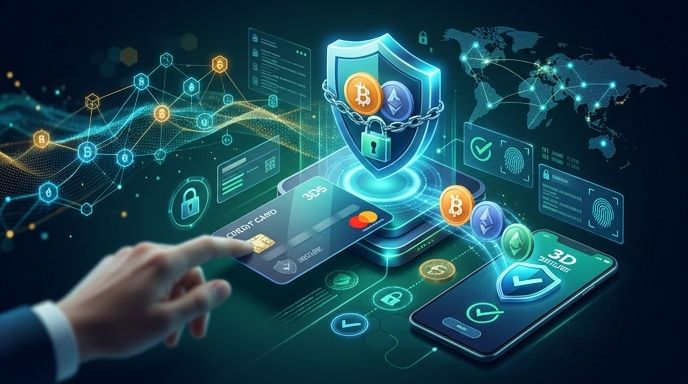
Key Takeaways
- 3D Secure (3DS) is a mandatory security protocol that adds a verification step (like an OTP) to prevent unauthorized card use.
- Crypto platforms require 3DS to comply with regulations, prevent chargeback fraud, and protect your funds.
- If your card lacks 3DS, your crypto purchase will almost certainly be declined.
- You can easily enable 3DS by contacting your bank or toggling it on in your mobile banking app.
Buying cryptocurrency with a credit or debit card is the fastest way to fund your wallet, but it requires a secure checkout environment. If you have ever seen a prompt from Verified by Visa or Mastercard Identity Check during checkout, you have interacted with 3D Secure (3DS).
This protocol is not just an optional safety feature. For modern, regulated crypto gateways like Paybis, it is a strict requirement designed to protect both the buyer and the platform.
What Is 3D Secure (3DS)?
3D Secure is a secure XML-based protocol designed to act as an additional security layer for online credit and debit card transactions. The "three domains" represent:
- The Acquirer Domain: The merchant or crypto gateway receiving the payment.
- The Issuer Domain: The bank that issued your credit or debit card.
- The Interoperability Domain: The infrastructure supporting the 3D Secure protocol (like Visa or Mastercard).
When you buy crypto, 3DS prompts you to verify your identity. This is usually done via a One-Time Password (OTP) sent to your phone, a biometric scan in your banking app, or a security token.
Why Crypto Gateways Require 3D Secure
Cryptocurrency transactions are permanent. Once Bitcoin or Ethereum is sent to your private wallet, it cannot be recalled. This high-stakes environment makes 3DS essential for several reasons:
1. Eliminating Chargeback Fraud
Fraudsters often use stolen credit card numbers to buy crypto because they can withdraw the assets immediately. Without 3DS, the legitimate cardholder can claim a chargeback, leaving the crypto platform to bear the financial loss. 3DS shifts the liability from the platform to the card-issuing bank.
2. Ensuring Regulatory Compliance
Regulated platforms operating in the US, UK, and European Union must comply with strict anti-money laundering (AML) and Counter-Terrorism Financing (CTF) laws. Under regulations like PSD2 (Revised Payment Services Directive) in Europe, Strong Customer Authentication (SCA)—which 3DS provides—is legally mandated for most online payments.
3. Preventing Identity Theft
Even if someone steals your physical card or copies your card details, they cannot bypass the 3DS verification step unless they also have physical access to your mobile phone or banking app.
Critical Mistakes to Avoid
To ensure your crypto transaction goes through smoothly, avoid these common security and technical pitfalls:
- Using a Card Without 3DS Enabled: Do not attempt to use prepaid cards or older debit cards that do not support 3D Secure. The transaction will fail instantly.
- Ignoring Network Delays: OTP text messages can sometimes be delayed. Do not click "Resend Code" repeatedly, as this can invalidate the first code and lock your transaction.
- Using a VPN During Checkout: Many banks flag 3D Secure verifications if they detect you are using a VPN from a different country. Turn off your VPN before initiating a purchase.
- Outdated Bank Contact Info: If your phone number or email address on file with your bank is outdated, you will not receive the verification code.
How to Enable 3D Secure on Your Card
Most modern banks enable 3D Secure by default. However, if your transaction is declined with a "3DS failed" error, take the following steps to verify or activate it:
- Check Your Mobile Banking App: Open your bank's app and look under "Card Settings," "Security," or "Online Payments." Look for options like "Verified by Visa," "Mastercard Identity Check," or "SafeKey" (for American Express) and toggle it on.
- Contact Your Bank's Support: Call the number on the back of your card. Ask the representative to confirm if 3D Secure / Strong Customer Authentication is active on your account.
- Update Your Contact Details: Ensure your mobile phone number and email address are up to date so that One-Time Passwords can reach you immediately.
FAQ
Can I buy cryptocurrency with a card that does not support 3D Secure?
Almost all legitimate and regulated crypto gateways will decline cards without 3D Secure. Using a platform that bypasses 3DS exposes you to highly unsafe, unregulated environments where your personal financial data is at risk.
Why did my 3D Secure verification fail even though I entered the correct code?
This usually happens due to a timeout or a mismatch in session data. If you take too long to enter the code, the transaction session expires. Close your browser tab, clear your cache, or try a different browser, then initiate the purchase again.
Does 3D Secure cost anything extra to use?
No. 3D Secure is a built-in security feature provided for free by your card issuer (Visa, Mastercard, or American Express) to safeguard your online purchases.
Does 3DS apply when buying crypto with Apple Pay or Google Pay?
Apple Pay and Google Pay use device-level tokenization and biometrics (FaceID/TouchID), which satisfy the Strong Customer Authentication (SCA) requirements automatically. You generally will not see a separate 3DS SMS prompt when using these mobile wallets.