How to Buy Crypto on Public Wi-Fi Safely
Learn how to safely buy cryptocurrency while connected to public Wi-Fi and protect your wallet from hackers with these simple security steps.
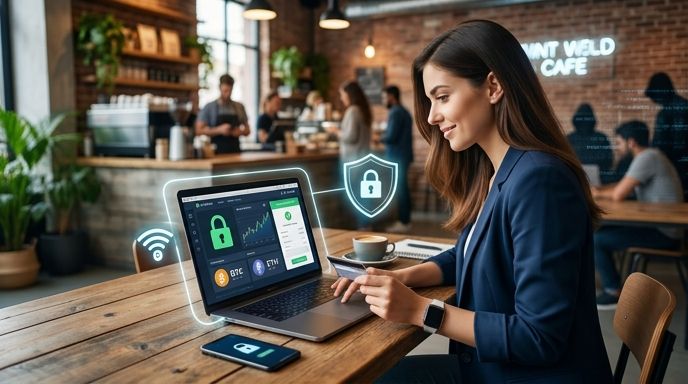
Key Takeaways
- Public Wi-Fi is inherently insecure because hackers can easily intercept unencrypted data packages.
- Always use a high-quality VPN or switch to cellular data before entering exchange credentials or wallet keys.
- Enable hardware-based Two-Factor Authentication (2FA) using authenticator apps, not SMS, to secure your accounts.
- Never view or copy your recovery seed phrase while connected to any public network.
You are at a local cafe or waiting at an airport, and you notice a perfect market dip. The urge to buy cryptocurrency immediately is strong, but you are connected to the free public Wi-Fi. Doing this without preparation puts your hard-earned funds at extreme risk. Public networks are prime hunting grounds for cybercriminals looking to steal login credentials and drain digital wallets.
The Hidden Risks of Public Networks
Public Wi-Fi networks in airports, hotels, and cafes rarely encrypt traffic. This open environment makes it simple for attackers to launch several types of exploits:
- Man-in-the-Middle (MitM) Attacks: A hacker positions their device between you and the Wi-Fi router. They can intercept everything you type, including passwords and credit card details.
- Evil Twin Networks: Attackers set up a fake hotspot with a legitimate-sounding name like "Airport_Free_WiFi". When you connect, they gain complete visibility over your internet traffic.
- Session Hijacking: Cybercriminals steal your browser's active session cookies. This allows them to log into your cryptocurrency accounts without needing your password.
4 Steps to Safely Buy Crypto on the Go
If you must purchase digital assets while away from your secure home network, follow these defensive measures:
- Switch to Cellular Data: The easiest fix is to disable Wi-Fi and use your mobile carrier's 4G or 5G connection. It is highly encrypted and significantly harder to breach.
- Deploy a Virtual Private Network (VPN): A reputable, paid VPN encrypts all internet traffic leaving your device. Even if a hacker intercepts your data, they will only see unreadable code.
- Use App-Based 2FA: Secure your accounts with apps like Google Authenticator. Avoid SMS-based 2FA, which is highly vulnerable to SIM-swapping attacks.
- Confirm the HTTPS Lock: Ensure the platform you are using displays the padlock icon in the browser address bar. This indicates an active, secure connection to the legitimate website.
Critical Mistakes to Avoid (What Not to Do)
To keep your portfolio secure, avoid these common security blunders:
- Do not access your backup recovery phrase: Never view or copy your 12- or 24-word recovery phrase while on public networks. Local screen-mirroring malware could capture it.
- Do not ignore SSL certificate warnings: If your browser warns you that a site's security certificate is invalid, disconnect immediately. This is a classic sign of a network hijack.
- Do not leave file sharing active: Turn off Airdrop, nearby sharing, and Bluetooth to prevent unauthorized access to your files by nearby users.
- Do not use free VPNs: Untrusted VPN providers often log your browsing data and sell it to third parties, defeating the purpose of security.
The Safest Way to Complete Your Purchase
When buying on the move, streamlining the process minimizes your window of exposure. Utilizing a secure, regulated partner like Paybis allows you to finalize your transaction in minutes.
By utilizing automated AI-powered KYC that takes under 3 minutes, you spend less time exposed to the network. Plus, your purchased crypto is sent directly to your secure, personal external wallet. This eliminates exchange-custody risks entirely.
Tip: If you are a new user, you can secure 0% fees on your very first transaction by signing up through our recommended partner link.
FAQ
Is it safe to buy crypto using an airport's official Wi-Fi?
No. Even official airport networks are vulnerable. Hackers can easily spoof the official network name or exploit security flaws in the airport's router firmware to monitor your traffic.
Will a VPN fully protect my crypto transactions?
A VPN encrypts your data in transit, but it cannot protect you against active malware on your device, phishing websites, or weak passwords. You must combine your VPN with robust device hygiene.
What should I do if I accidentally logged into my wallet on public Wi-Fi?
Immediately disconnect from the network, switch to cellular data, and change your account passwords. If you suspect your private keys were exposed, transfer your funds to a newly generated wallet address immediately.