How to Buy Crypto Safely on Your Phone
Learn how to securely buy cryptocurrency using your smartphone, protect your mobile wallet, and avoid common on-the-go security mistakes.
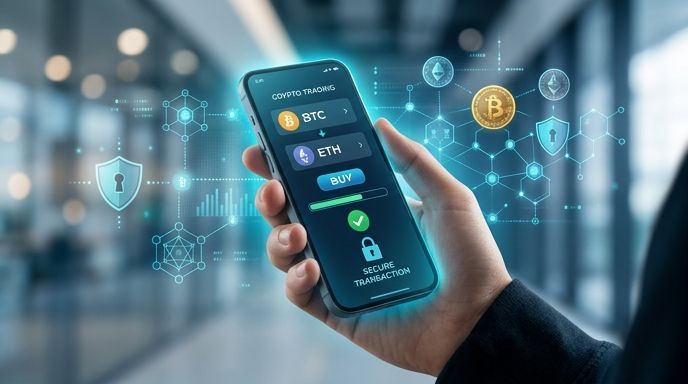
Key Takeaways
- Mobile security is paramount: Always use a secure, private internet connection and enable two-factor authentication (2FA) before initiating any transaction.
- Opt for simplified checkouts: Choose mobile-friendly partners that support instant payment methods like debit cards or Apple Pay for faster processing.
- Verify your wallet address: Double-check the destination address on your phone's screen to prevent copy-paste malware errors.
- Leverage rapid KYC: Modern mobile platforms use AI-powered verification to approve your profile in under three minutes.
Buying cryptocurrency on your smartphone offers unmatched convenience. Whether you are commuting, relaxing at home, or capturing a sudden market opportunity, mobile devices allow you to manage your assets instantly. However, conducting financial transactions on-the-go introduces unique security challenges that every beginner must understand.
This guide explains how to buy cryptocurrency safely on your phone, avoid mobile-specific security traps, and protect your digital assets.
Step 1: Secure Your Mobile Environment
Before entering card details or accessing a crypto platform, you must secure your mobile device. Your phone holds sensitive personal data, making it a prime target for cybercriminals.
- Avoid Public Wi-Fi: Never buy crypto while connected to public networks at coffee shops, airports, or hotels. Hackers can intercept your data. Use your mobile data (4G/5G) or a trusted virtual private network (VPN).
- Enable Biometrics: Actively use fingerprint scanning or facial recognition to lock your device and your crypto applications.
- Activate Two-Factor Authentication (2FA): Never rely solely on passwords. Use authenticator apps like Google Authenticator or Microsoft Authenticator instead of SMS-based 2FA, which is vulnerable to SIM-swapping attacks.
Step 2: Choose a Mobile-Optimized Partner
Not all cryptocurrency platforms are designed for mobile screens. Complex trading layouts can lead to accidental taps and costly execution mistakes.
For a seamless experience, choose an aggregator or partner like Paybis that prioritizes simple, responsive mobile interfaces. Look for platforms that support Visa, Mastercard, and Apple Pay, enabling you to complete transactions in just a few taps.
Additionally, select services that utilize AI-powered identity verification (KYC). Mobile-optimized KYC systems allow you to take a quick photo of your ID and a selfie, completing the entire registration process in under three minutes.
Step 3: Set Up a Dedicated Mobile Wallet
Never buy cryptocurrency without knowing where it will be stored. To maintain control over your funds, install a non-custodial mobile wallet (such as Trust Wallet or Coinbase Wallet) before making a purchase.
When setting up your wallet:
- Write down your recovery seed phrase on physical paper.
- Store this paper in a secure, private location.
- Never take a screenshot of your seed phrase, as cloud backups can be hacked.
When you buy crypto, copy your wallet receive address and paste it into the purchase screen. Always manually double-check the first and last four characters of the address to ensure it matches perfectly.
Step 4: Complete the Purchase
Once your wallet is ready and your identity is verified, you can finalize the transaction:
- Select your desired cryptocurrency (such as Bitcoin) and your local fiat currency.
- Enter your secure mobile wallet address.
- Choose your payment method (debit card offers the fastest processing).
- Review the transparent transaction fee breakdown.
- Confirm and authorize the payment.
Because mobile transactions are streamlined, your cryptocurrency will be delivered directly to your personal wallet within minutes of payment confirmation.
Critical Mobile Crypto Mistakes to Avoid
- Storing Seed Phrases in Note Apps: Saving your private recovery phrases in standard note-taking apps or emails makes them accessible to malware.
- Ignoring OS Updates: Outdated mobile operating systems have unpatched security vulnerabilities. Always keep your phone's OS and financial apps updated to the latest versions.
- Falling for App Store Phishing: Only download wallets and financial apps via official links from the provider's website. Scammers frequently upload fake replica apps to mobile app stores.
FAQ
Can I buy cryptocurrency on my phone without an app?
Yes. You do not need to clutter your phone with storage-heavy apps. Mobile-optimized web platforms allow you to complete the entire buying process, including secure card checkout and AI verification, directly through your mobile browser.
Is it safe to use Apple Pay for crypto purchases?
Yes, Apple Pay is highly secure. It uses device-specific numbers and unique transaction codes, meaning your actual card number is never stored on your device or shared with the merchant.
What should I do if my phone is lost or stolen?
If your device is lost, your funds remain safe as long as you have your physical backup recovery phrase. You can easily download your wallet app on a new device, enter your recovery phrase, and restore access to your assets instantly.