Buy Crypto with a Neobank Card: A Fast Beginner Guide
Learn how to easily buy crypto using neobanks like Chime, N26, or Bunq. Avoid declines and get instant delivery to your wallet.
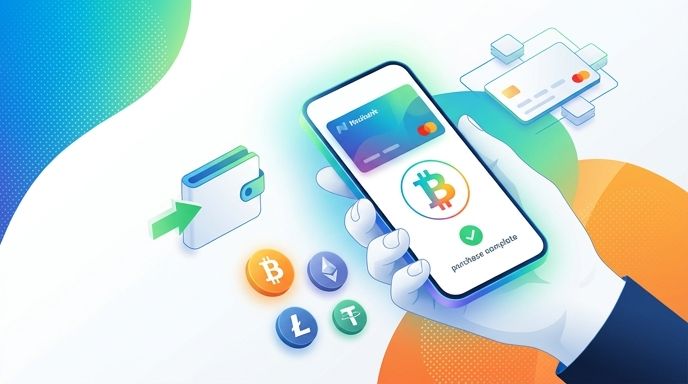
Neobanks—digital-only banks like Chime, N26, Bunq, and Revolut—have revolutionized how we manage money. However, using these modern accounts to buy cryptocurrency can sometimes result in declined transactions if you do not know the right steps. This guide covers how to seamlessly purchase digital assets using your neobank card.
Key Takeaways
- Card Over Transfers: Using your neobank’s debit card is the fastest route to buying crypto, offering instant delivery compared to slower bank transfers.
- Enable Crucial Settings: You must toggle on international transactions and 3D Secure (3DS) in your neobank app before purchasing.
- Use Regulated Gateways: Protect your bank account from being flagged by only using licensed, secure fiat-to-crypto platforms like Paybis.
- Self-Custody First: Always send your purchased crypto directly to your own secure, private wallet rather than keeping it on an exchange.
Why Use a Neobank Card to Buy Crypto?
Neobanks are built for speed and digital integration. Unlike traditional brick-and-mortar banks, which may take days to process outbound payments, neobanks handle card authorizations in real time.
When you buy cryptocurrency using a digital bank card, you benefit from instant execution. This is crucial in volatile markets where a delay of a few hours can mean missing a favorable price. Furthermore, neobanks typically feature lower foreign exchange markups, saving you money if you are purchasing crypto in a different currency.
How to Buy Crypto with Your Neobank Card: Step-by-Step
- Get a Private Wallet First: Download a reputable, non-custodial wallet. Copy your public receiving address for the specific cryptocurrency you want to buy.
- Choose a Regulated Partner: Navigate to a secure purchase platform like Paybis. Regulated gateways ensure your transaction complies with local financial laws, keeping your neobank account safe.
- Select Credit/Debit Card: Choose the card payment option. Neobanks issue standard Visa or Mastercard debit cards, which are accepted globally.
- Enter Amount and Address: Select your local fiat currency and paste your private wallet address. Double-check every character of your address to avoid sending funds to the wrong place.
- Complete Fast Verification: If it is your first purchase, complete the rapid AI-powered identity check (KYC). This process takes under 3 minutes and requires a valid ID and a quick selfie.
- Approve via Bank App: Your neobank will send a push notification to your phone. Open your banking app and approve the 3D Secure (3DS) prompt to authorize the transaction.
Critical Mistakes to Avoid with Neobank Crypto Purchases
To ensure your purchase goes through smoothly, avoid these common beginner pitfalls:
- Forgetting International Transaction Toggles: Many neobanks automatically disable international payments for security. Because most reliable fiat-to-crypto gateways operate globally, your transaction will fail unless you enable international spending in your bank's card settings.
- Using Unregulated Peer-to-Peer (P2P) Platforms: Buying crypto from unverified individuals via P2P networks is a fast way to get your neobank account frozen. Neobanks use sophisticated fraud-detection algorithms that flag suspicious peer transfers. Always use a licensed payment processor.
- Overlooking Daily Spending Limits: Neobanks often set default daily spending limits of $500 to $1,000 on debit cards. If your crypto purchase exceeds this, the card will be declined. You can easily adjust this limit inside your banking app before initiating the purchase.
Popular Neobanks and Their Crypto Policies
- Chime: Fully allows crypto purchases using its Visa debit card on regulated exchange platforms. However, it does not support direct incoming or outgoing wire transfers to crypto exchanges.
- N26: Supports instant card purchases on licensed platforms. Users must verify the transaction via the N26 mobile app using 3D Secure.
- Bunq: Highly crypto-friendly, allowing both debit card purchases and instant SEPA transfers to approved digital asset platforms.
FAQ
Can I buy crypto directly inside my neobank app?
Some neobanks offer built-in crypto trading features. However, these services often restrict you from withdrawing your cryptocurrency to an external, private wallet. Buying via an independent gateway like Paybis ensures you actually own your assets and can transfer them freely.
Why did my neobank decline my cryptocurrency purchase?
The most common reasons for a decline are disabled international transactions, insufficient funds, or a missed 3D Secure push notification. Open your neobank app, ensure card permissions are fully enabled, and verify that your daily spending limit is high enough.
Are there extra fees for using a neobank card to buy crypto?
Neobanks do not charge hidden fees for card purchases, but standard card processing and network fees still apply. To keep costs low, look for promotional offers—such as zero fees on your first transaction—when signing up through partner links.